

The quickest, tax-safe way to categorize expenses is to separate personal and business accounts, sort transactions into a compact taxonomy of needs, wants, savings, and tax tags, then automate with rules and a monthly audit. Start today: connect one account or pull the last 30 days into a spreadsheet and tag every transaction.
TL;DR:
- Small business owners must accurately track categories like cost of goods sold, payroll, and equipment depreciation to meet IRS deductibility standards.
- Automating categorization through merchant rules and voice assistants reduces manual effort and improves accuracy in expense tracking.
- A monthly audit focused on high-value and miscellaneous transactions helps correct auto-labeling errors before tax season.
- Keep personal and business accounts separate to avoid tangled transactions and ensure proper tax deduction eligibility.
- Building a simple, flexible system with broad categories and refining over time improves accuracy without overcomplicating the process.
Table of Contents
- Why Expense Categories Matter and How to Build One That Actually Works
- A Step-by-Step Method to Categorize Every Transaction
- Sample Personal Budget Categories You Can Copy Directly
- Small-Business Expense Categories and the Tax Distinctions That Matter
- Automating Categories So You Stop Doing It by Hand
- Running a Monthly Audit to Catch Miscategorized Transactions
- What the IRS Actually Requires, and Where Mali Fits In
- A Realistic Starter Plan, Not a Perfect One
- Why a Bank-Linked Assistant Beats a Spreadsheet You Have to Babysit
- Primary Sources and Further Reading
- Sources
- FAQ
Why Expense Categories Matter and How to Build One That Actually Works
Categorizing expenses gives you three things at once: a clear picture of where money actually goes, control over spending before it spirals, and a head start on tax prep. For a small business, it's the difference between knowing your real profit margin and guessing at it every quarter.
The most durable systems use three layers, rather than one flat list.
- Primary buckets sort spending by purpose: needs, wants, and savings.
- Accounting types sort by behavior: fixed, variable, or periodic.
- Tax tags sort by consequence: deductible, capital, or personal.
A single transaction can carry all three labels at once. A laptop purchase might be a "want" in your personal budget, a "periodic" expense in your cash flow view, and a "capital" expense on your tax return. Individuals mostly need the first two layers. Small-business owners need all three, because the tax tag decides what shows up on a Schedule C or a business return come April.
A Step-by-Step Method to Categorize Every Transaction
Pick your tool first, because it shapes everything downstream. A spreadsheet costs nothing and gives full control, but you type every entry by hand. A budgeting app auto-imports transactions but often mislabels edge cases. A voice and bank-linked assistant reads transactions automatically and lets you fix or split a category by just saying so, which cuts the manual grind dramatically.
- Set up base categories. Start with 8 to 12 broad buckets, not 40. You'll refine later.
- Build auto-rules for recurring merchants. Once you tag "Amazon" as split between household and business supplies, the rule applies going forward.
- Tag deductible items as you go. Don't wait until tax season to reconstruct four months of receipts.
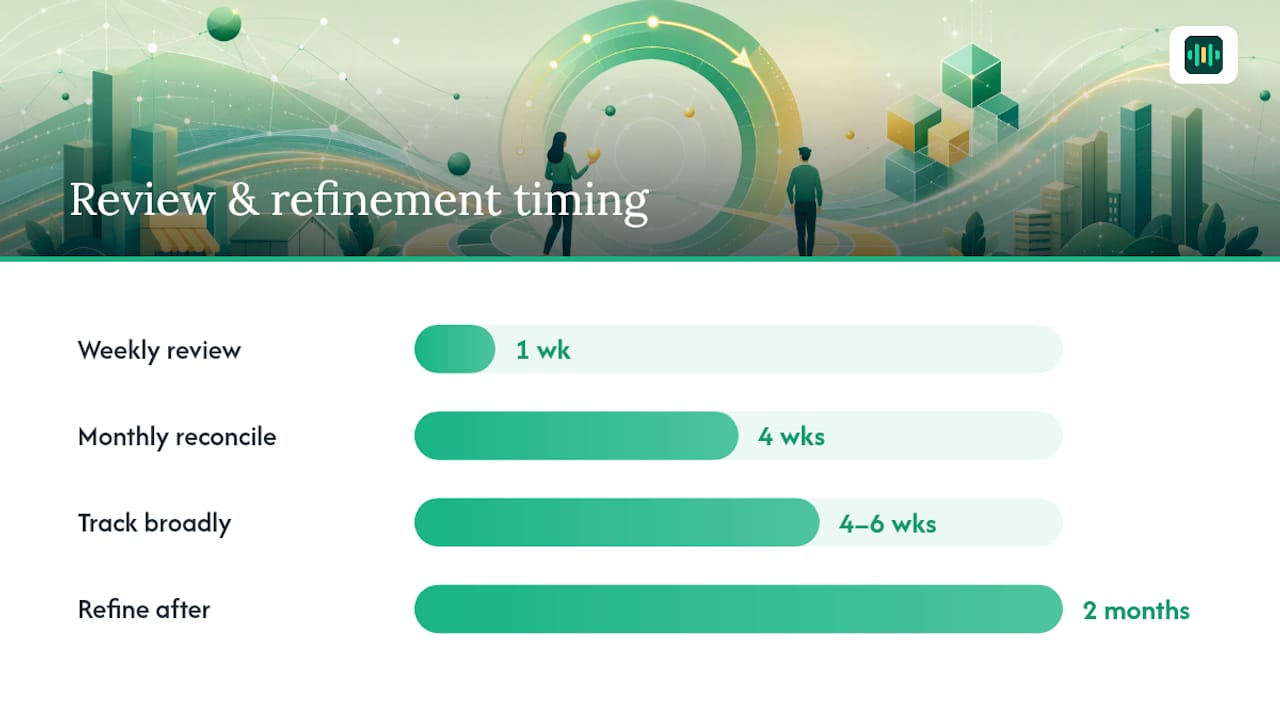
- Review weekly, reconcile monthly, refine after two months. Add subcategories only once you see where the "miscellaneous" pile keeps collecting.
Say a freelancer buys a $200 phone bill where roughly half the usage is client calls. The clean approach: split the transaction, tag $100 as a business utility expense and $100 as personal, then note the allocation method (call logs, time estimate) in case a tax preparer or an audit asks later.
Pro Tip: Don't build subcategories on day one. Track broadly for four to six weeks, then split only the categories that actually accumulated enough transactions to matter. This is the exact sequencing Intuit's budgeting guide recommends, and it saves you from designing a system for spending patterns you haven't seen yet.
Sample Personal Budget Categories You Can Copy Directly
A workable personal list stays short enough to scan in ten seconds but detailed enough to catch problem spending.
- Housing: rent or mortgage, utilities, insurance
- Groceries (separate from Dining Out, since the two behave completely differently)
- Transportation: car payment, gas, maintenance, transit
- Subscriptions (separate from Streaming, since subscription creep hides in the fine print)
- Health: insurance premiums, prescriptions, copays
- Debt payments: credit cards, student loans, personal loans
- Savings and sinking funds: emergency fund, vacation, car replacement, holiday gifts
These categories slot into whatever budgeting method you already use. The 50/30/20 rule maps needs, wants, and savings directly onto three of the groups above. Zero-based budgeting assigns every dollar to one of these lines until nothing's left unaccounted for. Sinking funds work best as their own mini-categories, since "vacation" and "car repair" need separate tracking even though both are technically savings.
Split a category when it starts hiding a decision. Travel is the classic case: lump airfare, lodging, and meals together and you'll never know if the trip was expensive because of the flight or the hotel.
Small-Business Expense Categories and the Tax Distinctions That Matter
A small business needs its own category list, separate from any personal one, and several of these categories carry real tax weight.
- Cost of goods sold (materials, inventory, production costs)
- Payroll and contractor payments
- Rent and utilities
- Marketing and advertising
- Travel and vehicle expenses
- Legal and professional fees
- Insurance
- Depreciation on equipment and property
The IRS allows a business expense deduction only when the cost is ordinary and necessary for the trade for that business. Personal, living, or family expenses generally don't qualify, even when they're paid from a business account.
Capital expenses and deductible operating expenses aren't the same thing. A new laptop is typically a capital asset you depreciate over its useful life, while a $40 software subscription is a straightforward deductible expense. Publication 583 covers depreciation basics and start-up cost treatment, including the election to deduct a portion of start-up costs immediately and amortize the rest.
Keep a dedicated business bank account and card. Mixing personal and business spending in one account is the single most common reason a bookkeeper has to spend hours untangling a year's worth of transactions before filing.
Automating Categories So You Stop Doing It by Hand
Manual categorization is the first thing to eliminate, and it's also the easiest to automate. Auto-rules that match merchant names to categorize handle the bulk of repeat transactions without you touching a single entry after setup.
- Create merchant-to-category mappings once, and every future charge from that merchant sorts itself.
- Use tags, not just categories, for anything with tax consequences: home-office percentage, vehicle-use percentage, deductible flags.
- Split transactions the moment you notice mixed personal and business use, rather than guessing later from memory.
- Bring in a bookkeeper or accountant once transaction volume, payroll complexity, or multi-entity structure outpaces what auto-rules can reliably sort.
A voice-first assistant that reads your linked bank data can apply these rules automatically and flag anything that looks unusual before it snowballs into a January scramble.
Running a Monthly Audit to Catch Miscategorized Transactions
Set aside 15 minutes a month to catch what auto-rules missed.
- Scan high-dollar transactions first. A big charge sitting in "miscellaneous" is the fastest thing to fix and the most consequential if it's wrong.
- Check any category that's ballooned with "uncategorized" or "misc" items. That's usually a sign a merchant needs a new rule.
- Reconcile against your bank and card statements to catch anything that slipped through entirely.
- Watch for personal charges landing on the business account, and reclassify them immediately with a documented reason.
For anything with mixed personal and business use, note the allocation percentage right in the transaction memo. A 70/30 vehicle split or a 20% home-office allocation means nothing to an auditor a year later without a note explaining how you got that number.
Pro Tip: Reclassify mixed-use transactions the same week you spot them. Waiting until tax season means reconstructing a percentage estimate from memory, which is both harder and far less convincing if the IRS ever asks how you calculated it.

What the IRS Actually Requires, and Where Mali Fits In
The ordinary-and-necessary standard governs every business deduction you claim, and personal expenses run through a business account don't retroactively become deductible just because they hit that account. The IRS also recommends keeping business and personal accounts separate specifically to avoid this problem.
Vehicle and home-office expenses get their own rules. Publication 334 lays out the home-office test and the choice between actual vehicle expenses and the standard mileage rate, and both require documenting the business-use percentage, not just claiming a number.
- Keep contemporaneous mileage logs or calendar entries for anything mixed-use.
- Choose one vehicle deduction method per vehicle per year and apply it consistently.
- Treat a home office deduction as a percentage of square footage, backed by a floor plan or measurement.
Talking through a transaction out loud, and having it read directly from your linked accounts rather than a manual entry you typed from memory, is the kind of categorization check that catches errors before they turn into a filing headache.
Mali applies this by reading your connected accounts and letting you ask, in plain speech, whether a charge should be tagged business or personal, then adjusting the record on the spot.
A Realistic Starter Plan, Not a Perfect One
Here's the honest path: this week, pick one tool, tag the last 30 days of transactions, and set three auto-rules for your most frequent merchants. That's it. Don't build 40 categories before you've seen a single month of real data.
By day 30, aim for one habit: a five-minute weekly review, plus one subcategory you added because you actually needed it, not because a template suggested it. Broad-then-refine beats over-engineered-from-day-one every time, because you're designing the system around your real spending instead of an imagined one.
— Todd
Why a Bank-Linked Assistant Beats a Spreadsheet You Have to Babysit
Spreadsheets and budgeting apps get you organized, but someone still has to sit down, open the app, and manually sort or fix categories every week. Mali is the alternative that skips that step entirely: it's a voice-first companion that links to your real bank accounts and reads your actual transactions, so you can ask out loud whether last week's Amazon order should split between business and personal instead of digging through a spreadsheet to fix it yourself.
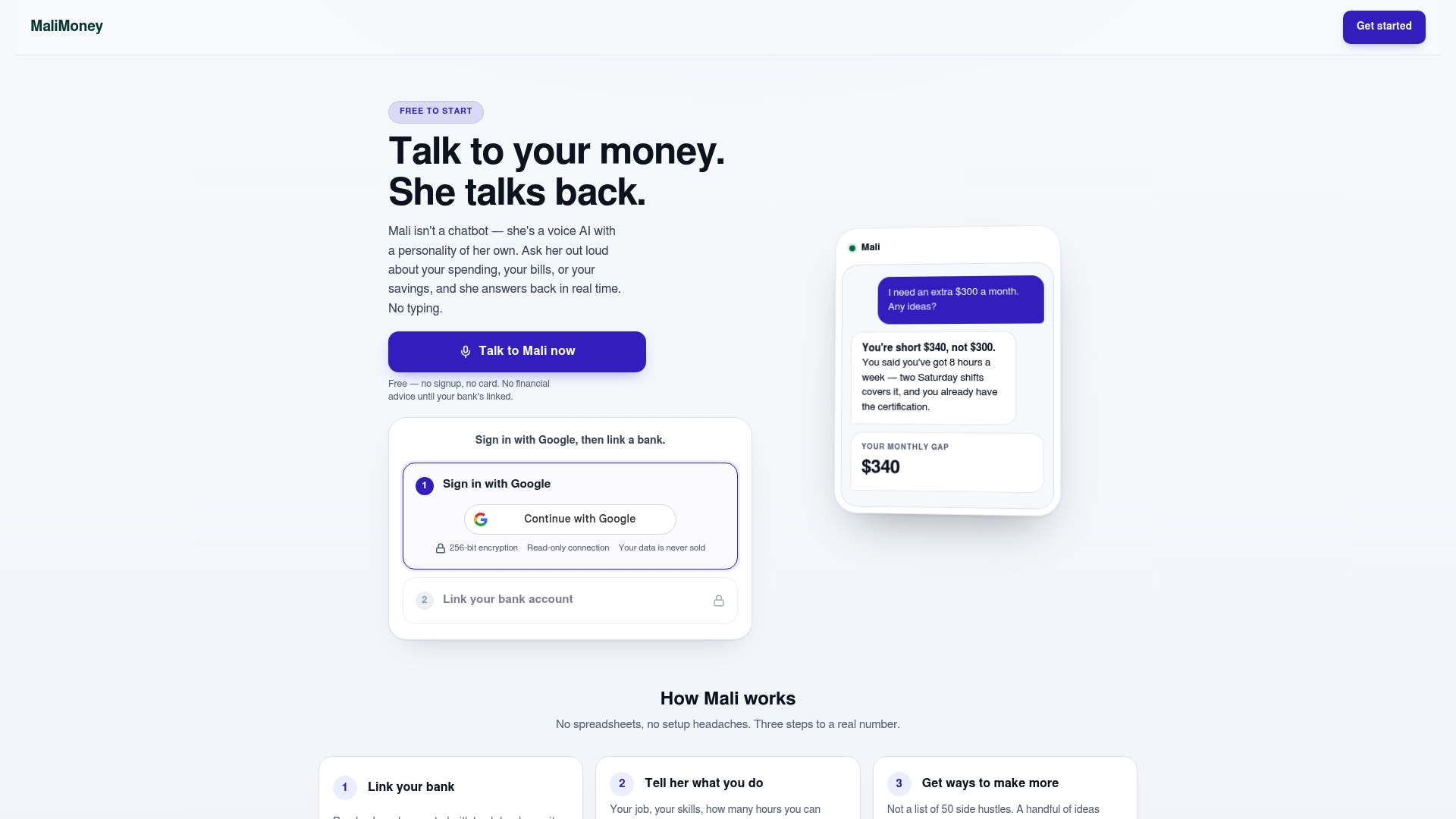
Mali's connections are read-only, and the company doesn't sell your data. Beyond categorization, you get access to calculators built for the decisions that follow good categories, like a savings goal calculator to turn a sinking fund into a monthly number, or an emergency fund calculator once you see how much you're actually spending on needs each month. No other site lets you talk to an AI about your own bank accounts and transactions the way Mali does. Try the free demo and ask Mali to walk through your last 30 days of spending.
Primary Sources and Further Reading
The tax guidance above draws directly from IRS publications, which stay the authoritative word on deductibility.
- Income & Expenses — IRS for the ordinary-and-necessary standard
- Publication 583 for start-up costs and depreciation basics
- Publication 334 — Tax Guide for Small Business for home-office and vehicle expense rules
- Intuit's budgeting category guide for practical personal category examples
This article is general information, not a substitute for advice from a qualified financial advisor. Consult a qualified financial professional about your own circumstances before acting on anything here.
Sources
- Income & expenses | Internal Revenue Service
- Publication 583 (Rev. December 2024)
- Publication 334 — Tax Guide for Small Business
- 10 Types of Budget & Personal Expense Categories – Intuit Blog
FAQ
How Do You Categorize Expenses?
Separate personal and business spending first, then sort each transaction into a broad bucket like housing, groceries, or payroll. Refine those buckets into subcategories only after a month or two of real data, following the approach Intuit's budgeting guide recommends.
What Are the Main Types of Expenses?
Most budgets split expenses into fixed costs like rent, variable costs like groceries, and periodic costs like annual insurance premiums. Businesses add a fourth layer: capital expenses that get depreciated versus operating expenses that are deducted right away, per IRS Publication 583.
What Expense Categories Should a Small Business Track?
Core categories include cost of goods sold, payroll, rent, utilities, marketing, travel, legal and professional fees, insurance, and depreciation. Each one carries different tax treatment, and the IRS requires expenses to be ordinary and necessary to qualify as deductible.
What Are the Basic Accounting Expense Categories?
Accountants typically group costs as fixed, variable, operating, and non-operating, with capital expenses tracked separately because they're depreciated rather than expensed all at once. This structure keeps profit-and-loss reporting clean while preserving the detail needed at tax time.
Can a Voice Assistant Help Me Categorize Expenses?
Yes. Mali links directly to your bank accounts and lets you ask out loud whether a transaction should be tagged business, personal, or split between the two, which removes most of the manual sorting a spreadsheet requires. Current pricing details are available on Mali's site.