
Plaid is safe for the vast majority of users, backed by AES-256 encryption, read-only data access, and independent audits like SOC 2 Type II. The real caveats are narrower than most headlines suggest: a handful of legacy banks still require Plaid to store encrypted credentials instead of using a token exchange, and a 2021 privacy settlement still fuels lingering distrust. For most people connecting a modern bank through OAuth, the risk is low and manageable.
TL;DR:
- Using OAuth for bank connections significantly reduces risks because your password is verified directly by your bank, and tokens can be revoked easily.
- When OAuth isn't supported, encrypted credential storage introduces a narrower but real risk, especially since some banks do not support this flow.
- Most transaction and balance data access is limited to what you explicitly approve, and the consent screen shows exactly what data you're granting.
- Plaid maintains security through AES-256 encryption, TLS, multi-factor authentication, and independent audits like SOC 2 Type II and ISO 27001.
- Revoke unused app connections regularly and verify account activity to minimize exposure from linked apps or phishing scams.
Table of Contents
- How Plaid Works: The Connection Flow, Tokens, and When Credentials Are Stored
- What Data Can Plaid Access, and How Are Permissions Limited?
- What Security Controls Actually Protect Your Data?
- What Risks and Controversies Should You Actually Weigh?
- How Can You Protect Your Accounts When Using Plaid-Powered Apps?
- How Do You View and Revoke Plaid Connections?
- Why a Voice-First Finance Tool Takes This Seriously
- Mali: A Voice-First Way to Manage the Accounts You've Already Linked
- Sources
How Plaid Works: The Connection Flow, Tokens, and When Credentials Are Stored
Plaid sits between your bank and the apps you use to budget, invest, or apply for a loan. When you link an account, Plaid doesn't hand your bank password to that app. Instead, it acts as a translator, pulling the specific data you authorize and passing it along in a standardized format.
The safest version of this handshake uses OAuth: your bank redirects you to its own login page, you authenticate directly with your bank, and Plaid receives a token instead of your credentials. That token can be revoked at any time without changing your password. It's the digital equivalent of handing someone a valet key instead of your full key ring.
Not every bank supports this yet. When a bank lacks OAuth, Plaid falls back to a credential-based flow, where you type your username and password into Plaid's interface. In that scenario, Plaid may store encrypted login credentials to maintain the connection, which introduces a different risk profile than a token ever would.
- OAuth/token flow: your bank verifies you directly; Plaid never sees your password.
- Credential-based flow: you enter your bank login through Plaid; encrypted credentials may be stored to keep syncing.
- Read-only enforcement: connected apps can view balances and transactions, but they can't move money or alter account settings.
Whichever flow you get depends on your bank, not on you or the app you're using.
What Data Can Plaid Access, and How Are Permissions Limited?
Plaid doesn't get a blank check to your financial life. Access is scoped to whatever the app requests and whatever you approve on the consent screen, typically covering account balances, transaction history, account and routing numbers for payments, and sometimes identity details like your name and address.
A budgeting app might only need transaction history and balances. A lending app verifying income might need transaction history plus account ownership details. Plaid's system enforces data minimization, meaning apps only receive the categories they've been granted, not your entire financial history by default.
- Balances and transactions: the most commonly requested data, used for budgeting and spend tracking.
- Account and routing numbers: needed for apps that move money, like payroll or peer-to-peer transfers.
- Identity data: name, email, or address, often used for fraud checks or loan applications.
Guardrails prevent an app from quietly reaching back and pulling data types you never approved, even after the initial connection. If you're unsure what you're handing over, the consent screen shown during the Link flow lists exactly what's being requested before you approve anything. Read it. Most people click through without looking, then wonder later why a budgeting app has their account number.
What Security Controls Actually Protect Your Data?
The technical backbone here is fairly standard for serious financial infrastructure, but it's worth naming specifically rather than taking on faith. Plaid encrypts data at rest using AES-256 and encrypts data in transit with TLS, the same encryption standards banks and government systems rely on. Tokenization replaces sensitive credentials with substitute values wherever OAuth is available, so even if a token leaked, it wouldn't reveal your actual password.
On the authentication side, Plaid supports multi-factor authentication and can fill in an MFA layer during the Link flow when a bank's own system doesn't handle it well through the automated connection.
What's actually verifiable, rather than just claimed, matters more here. Plaid holds:
- SOC 2 Type II certification, an independent audit confirming security controls operate effectively over time, not just on paper.
- ISO 27001 certification, the international standard for information security management systems.
- ISO 27701 certification, an extension covering privacy information management specifically.
These aren't marketing badges. They're audit outcomes published through Plaid's Security Portal, where anyone can review the certifications directly instead of taking a company's word for it. Plaid also runs ongoing third-party penetration testing, maintains a bug bounty program for researchers who find flaws, and operates 24/7 monitoring aimed at catching unusual account activity before it becomes a bigger problem.
What Risks and Controversies Should You Actually Weigh?
The most cited controversy is a 2021 privacy-related class action that Plaid resolved with a $58 million settlement. The case centered on allegations about how much transaction data Plaid retained and shared, not a confirmed data breach or hack. A settlement resolves a legal dispute; it doesn't confirm the underlying claims were proven true, and no systemic leak of consumer data was ever documented.
The more concrete, ongoing risk is the credential storage gap mentioned earlier. When your bank doesn't support OAuth, Plaid stores encrypted login credentials rather than a revocable token, which is a real, if narrower, exposure difference.
- Plaid does not sell consumer financial data as a business model; its revenue comes from the apps and banks that pay for connectivity, not from data brokering.
- Most consumer complaints trace back to confusion over app permissions, not Plaid's infrastructure itself.
- Weigh third-party audits like SOC 2 and ISO certifications more heavily than anonymous app-store reviews, which rarely distinguish between a Plaid issue and a problem with the app built on top of it.
How Can You Protect Your Accounts When Using Plaid-Powered Apps?
- Choose OAuth-supported banks when you can. If your bank offers a redirect login during setup, use it instead of typing credentials directly into a third-party screen.
- Read the consent screen before approving. Only grant the data categories the app actually needs to function.
- Revoke connections you no longer use. Old, forgotten app links are the easiest thing to clean up and the easiest thing to forget about — for tools on how to do this systematically, see the No Spend Reset Challenge Workbook.
- Turn on MFA at your bank and set transaction alerts. This catches suspicious activity fast, regardless of how the account was linked.
- Watch for phishing that mimics Plaid or your bank's login screen. Legitimate Link flows always route through your bank's actual domain during OAuth.
Pro Tip: Set a recurring reminder every few months to review every app connected to your bank accounts, not just the ones tied to Plaid. Financial apps rarely remind you they're still connected.
How Do You View and Revoke Plaid Connections?
Start at Plaid Portal, which shows every app currently connected to your accounts through Plaid and lets you disconnect them directly. You can also revoke access from inside the third-party app itself, usually in account or privacy settings.
- Disconnecting stops future data pulls, but some historical transaction logs may remain with the app you disconnected from, not with Plaid.
- After revoking, check your statements for 30 to 60 days to confirm nothing unusual shows up.
- If a connection looks unfamiliar or you suspect fraud, contact your bank directly. They can freeze access or flag the account faster than any app-level revocation.
Why a Voice-First Finance Tool Takes This Seriously
Malimoney built Mali around the same trust question this article just walked through: would we let Mali touch our own accounts? Voice-first only works if the underlying connection is something people can trust without reading a technical manual, which is why Mali's security practices get the same scrutiny as the conversation itself. If you're ever unsure what's connected, you can just ask Mali out loud to check your linked accounts and walk you through it.
— Todd
Mali: A Voice-First Way to Manage the Accounts You've Already Linked
Once you're comfortable with how a service like Plaid handles your bank connection, the next question is what you actually do with that data. Most budgeting apps hand you a dashboard full of charts and expect you to figure out the rest yourself. Mali does the opposite: link your accounts, and you talk to her out loud about where your money is actually going, where you're falling short each month, and what side income might realistically close that gap.
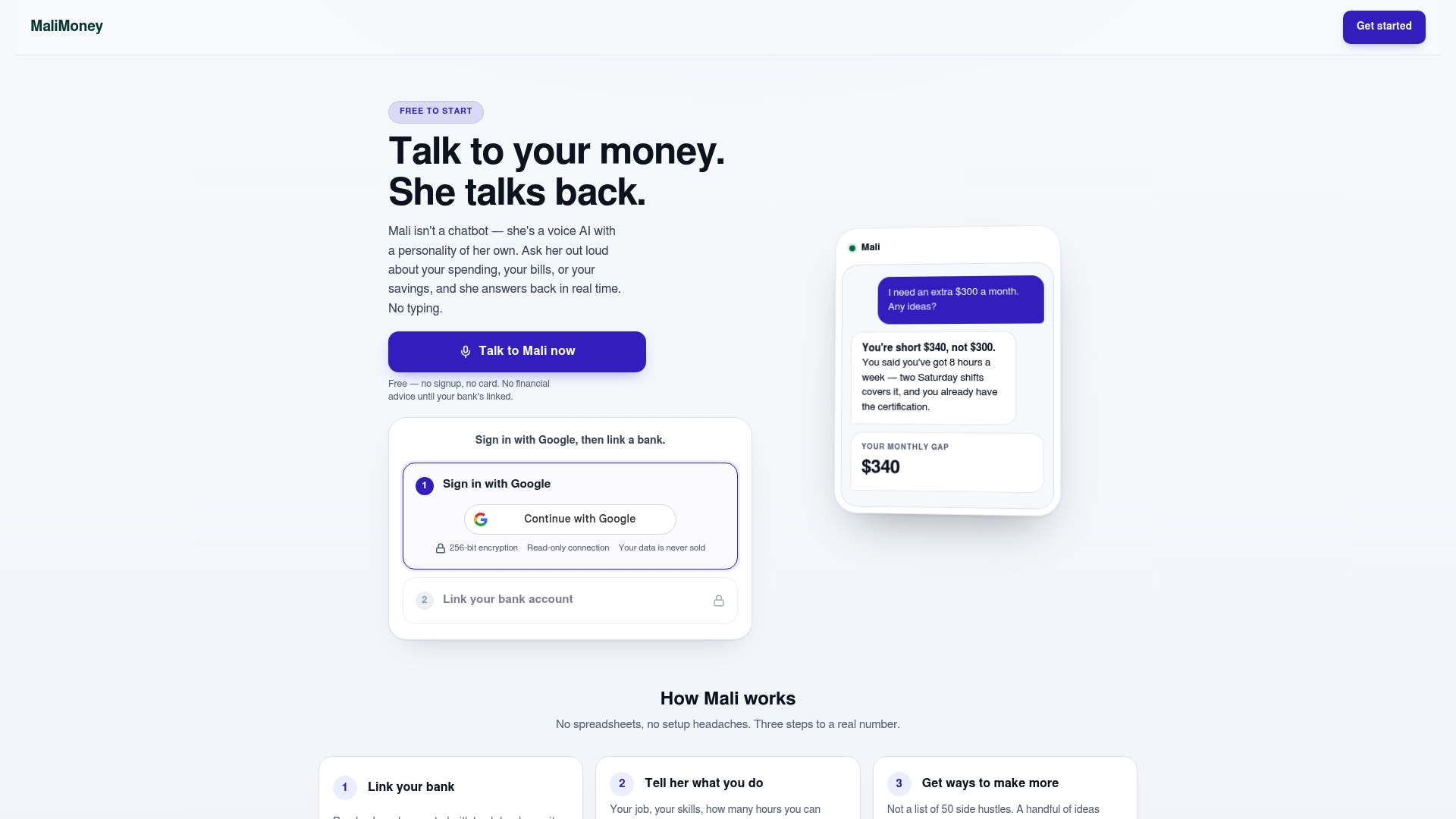
Mali's approach to account security follows the same standards covered above, encrypted connections, read-only access, and clear user control, detailed on the Mali security page. If you're curious how that compares to a traditional budgeting app, the breakdown of Mali versus YNAB shows the difference between a voice conversation and a manual spreadsheet-style system. Try a free demo and explore what such a tool can reveal about your finances.
This article is general information, not a substitute for advice from a qualified financial advisor. Consult a qualified financial professional about your own circumstances before acting on anything here.
Sources
- Is Plaid safe? What it is and how it protects your financial data
- Plaid security portal
- Is Plaid safe to use? What you need to know - Comparitech