

Pick one budget method, automate a pay-yourself-first transfer, and consolidate your accounts down to what you actually use. Do those three things and most of the chaos in your financial life disappears within a month. The order matters: automate first, because it works while you sleep, then simplify what's left so there's less to manage and fewer decisions to make every day.
TL;DR:
- Automating savings immediately after paychecks with a high-yield savings account reduces impulse spending and ensures consistent progress toward goals.
- Simplifying accounts and bills by consolidating and closing unused ones minimizes decision fatigue and prevents missed payments affecting credit.
- Using a simple budget like zero-based or 50/30/20 with automated transfers and monthly reviews is more effective than frequent tinkering with complex apps.
- Regularly auditing and canceling unused subscriptions can free up significant cash and decrease monthly distractions.
- A voice-first AI companion can maintain financial discipline by summarizing account status and guiding savings efforts without creating additional decision points.
Table of Contents
- How Do You Simplify Personal Finances in One Sitting?
- Automate Pay Yourself First and Bill Payments
- Consolidate and Simplify Accounts, Cards, and Bills
- Pick One Budget That Actually Works
- Stop Leaking Money: Kill Recurring Subscriptions
- Savings Goals and Timelines: Sprint vs. Steady
- When Cutting Isn't Enough: Boost Income Responsibly
- Tools and Routines That Actually Reduce Decision Load
- Perspective: Why Simple Systems Beat Constant Optimization
- How a Voice-First AI Companion Makes Simplification Stick
- Sources
- FAQ
How Do You Simplify Personal Finances in One Sitting?
You don't need a weekend retreat or a 40-tab spreadsheet to simplify personal finances. You need about 90 minutes and a phone. Work through these in order, and you'll walk away with a system that runs mostly on its own.
- Set up one automatic transfer (10 minutes) — schedule savings to move the day after payday. Immediate benefit: money leaves before you can spend it.
- Cancel two subscriptions you forgot about (15 minutes) — scan your last two bank statements. Immediate benefit: instant monthly savings.
- Consolidate to one primary checking account (20 minutes) — move recurring bills to it. Immediate benefit: one balance to check, not four.
- Pick one credit card for everyday spending (10 minutes) — the one with the best rewards or lowest rate. Immediate benefit: fewer statements, fewer due dates.
- Open a high-yield savings account at a different bank (15 minutes). Immediate benefit: friction that stops impulse withdrawals.
- Set one savings goal with a number and a date (10 minutes). Immediate benefit: a target instead of vague guilt.
- Put a recurring 20 minute check in on your calendar, once a month (5 minutes). Immediate benefit: a fixed time to review instead of constant worrying.
Before closing anything, screenshot or download recent statements. You'll want them for tax records, and calculators for savings goals and payoff timelines can make steps 5 and 6 concrete in under a minute.
Automate Pay Yourself First and Bill Payments
The single highest-leverage move is timing. Schedule your savings transfer for the morning after payday, not "whenever there's extra." Credit union guidance on automating pay-yourself-first transfers treats this timing as the whole strategy, not a detail. Extra money rarely survives the week; a transfer that already happened does.
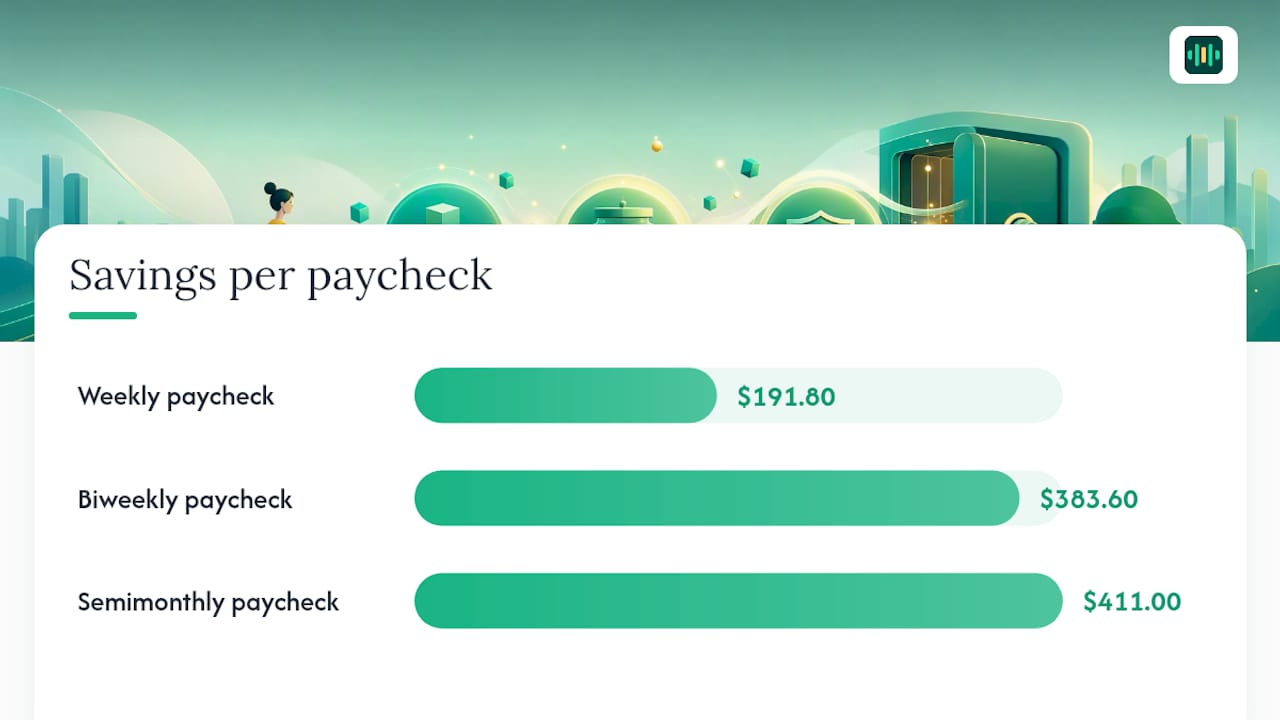
The $27.40 rule is the simplest version of this: save $27.40 a day and you land near $10,000 a year. Translated to paychecks:
- Weekly pay: about $191.80 per check
- Biweekly pay: about $383.60 per check
- Semimonthly pay: about $411 per check
Send that amount to a high-yield savings account (HYSA) at a bank different from your checking account. The separation isn't cosmetic. Research on the psychology of separate savings shows that adding a few days of transfer friction meaningfully cuts impulse withdrawals, because the money isn't sitting one tap away in your main app.
Set every fixed bill, rent, insurance, loan payments, to autopay from your primary checking account. Nothing recurring should require you to remember it.
Pro Tip: Automate the savings transfer for one dollar more than you think you can afford. You adjust downward fast if it hurts; you almost never adjust upward once "extra" money starts feeling normal.
Financial writers consistently point to automation as the behavior-change lever that actually sticks, more reliably than willpower-based budgeting ever does.
Consolidate and Simplify Accounts, Cards, and Bills
List every account you have, checking, savings, cards, old 401(k)s, forgotten store cards, on one page. Most people find three or four they haven't touched in over a year.
Use a simple rule: keep an account only if it does something the others don't (better rewards, no fees, employer match). Close or freeze the rest.
- Cards: keep the one with the best rate or rewards for daily use; pay off and close cards with annual fees you don't use.
- Old employer accounts: roll orphaned 401(k)s into an IRA or your current plan instead of leaving three logins scattered across former jobs.
- Before closing anything: download or print the last 12 months of statements. The IRS recommends specific retention periods for financial records tied to your taxes, and once an account closes, that history can be hard to retrieve.
- Joint accounts: if you share money with a partner, move shared bills to one joint account and keep individual discretionary spending separate. It cuts arguments about who paid for what.
Moving autopay before closing an old account, not after, avoids a missed payment landing on your credit report.
Pick One Budget That Actually Works
You have two realistic options, and either one beats the spreadsheet nobody updates.
Zero-based budgeting assigns every dollar a job before the month starts: income minus (savings plus bills plus spending) equals zero. It's precise and works well for people with irregular or side income.
The 50/30/20 split is looser: 50% needs, 30% wants, 20% savings and debt payoff. It takes less upkeep and suits steady paychecks.
If your income varies, use zero-based budgeting with a buffer: build a one-month expense cushion first, then budget last month's actual income instead of guessing at this month's.
Setup checklist (30 to 60 minutes):
- Pull your last three months of transactions.
- Sort them into four to six categories, no more.
- Set your target percentages or dollar amounts.
- Point your automated transfers (from earlier) at those numbers.
Monthly review (20 minutes): check actual spending against the plan, adjust one category if needed, confirm the savings transfer went through. That's it. Guides on saving aggressively with zero-based budgeting consistently find automation matters more than which method you pick.
Pro Tip: A savings goal calculator turns "save more" into an exact per-paycheck number in under a minute, so your budget has a real target instead of a vague intention.
Stop Leaking Money: Kill Recurring Subscriptions
Most people underestimate their subscription count by half. Here's the audit:
- Pull two months of bank and card statements.
- Highlight every recurring charge, streaming, apps, memberships, software.
- Sort each into keep, pause, or cancel based on actual use, not intended use.
- Cancel anything unused in the last 60 days.
- For services you use occasionally, call and ask to pause rather than cancel; most will do it.
- Set a cost-per-use threshold ($5 per use, for example) and drop anything below it.
Put a recheck on your calendar every quarter. Subscriptions creep back. Beyond the dollars, a smaller subscription footprint means fewer logins, fewer renewal surprises, and one less category to think about every month. A structured no-spend reset can also help if you want a short, defined period to break spending habits before locking in the new baseline.
Savings Goals and Timelines: Sprint vs. Steady
How fast you need money to change decides which method you should use.
| Approach | Timeline | What it requires |
|---|---|---|
| Micro-saving ($27.40 rule) | 12 months | One automated daily/paycheck transfer, minimal lifestyle change |
| Steady builder | 6-12 months | Automated transfer sized to a specific goal, standard budget |
| Savings sprint | 90 days | Automated transfers, steep temporary cuts, often extra income |
Saving $10,000 in 90 days means roughly $770 a week or about $3,334 a month, and most realistic guides to hitting that number treat it as a temporary sprint with an end date, not a new lifestyle. That level of saving rarely comes from cutting alone.
The $27.40 rule is the calmer alternative: automate that daily amount and you land near $10,000 over a full year without touching your day-to-day spending much.
Either way, park the money in a HYSA at a separate bank, and keep records of large transfers or account closures. The IRS's record retention guidance applies to savings documentation just as much as tax filings.
When Cutting Isn't Enough: Boost Income Responsibly
Expense cuts have a floor. You can only trim so much before you're cutting things you need. Income has no such ceiling, and combining both levers is standard advice for anyone chasing an aggressive short-term goal.
Realistic options, matched to time and skill:
- Gig delivery or rideshare work: flexible hours, pay lands within days.
- Selling unused items: electronics, furniture, clothes, often the fastest cash of the list.
- Freelance skills (writing, design, bookkeeping): higher hourly pay, but slower to land the first client.
- Overtime or a temporary second shift: predictable, no new skills required.
Pick one or two based on what you can actually sustain for 90 days, not what sounds impressive. And never use a credit card or a personal loan to hit a savings number. Borrowing to fund a savings goal defeats the purpose and usually costs more in interest than the goal is worth.
Tools and Routines That Actually Reduce Decision Load
A tool earns a place in your system only if it does one of three things: automate a transfer, remind you of something before it's a problem, or summarize your numbers without making you dig for them. Dashboards full of charts fail the third test, they hand you more data, not less decision fatigue.
- Automation: your bank's own scheduled transfers.
- Reminders: bill alerts and calendar holds for your monthly review.
- Summaries: something that reads your accounts and tells you, plainly, where you stand.
There are voice-first assistants designed to help by summarizing your financial data in plain language instead of relying on charts you must interpret yourself.
Weekly (10 minutes): ask a quick spoken question about spending so far. Monthly (20 minutes): review the budget, confirm transfers landed, and get a spoken summary of what changed.

Pro Tip: Use the monthly review to ask one specific question, "Where did I overspend?", rather than trying to reconstruct the whole month yourself.
Perspective: Why Simple Systems Beat Constant Optimization
Chasing the perfect budgeting app or the ideal interest rate has diminishing returns fast. The gap between a good-enough system and a perfect one is small; the gap between having a system and not having one is huge.
Stick with the checklist. Run the monthly review. Automate everything else, and stop tinkering once it works.
— Todd
How a Voice-First AI Companion Makes Simplification Stick
Every system in this article dies the same way: you stop checking it. Mali is built around that failure point specifically, it's a voice-first companion that links to your real bank accounts and talks you through what changed, without a dashboard you have to decode.
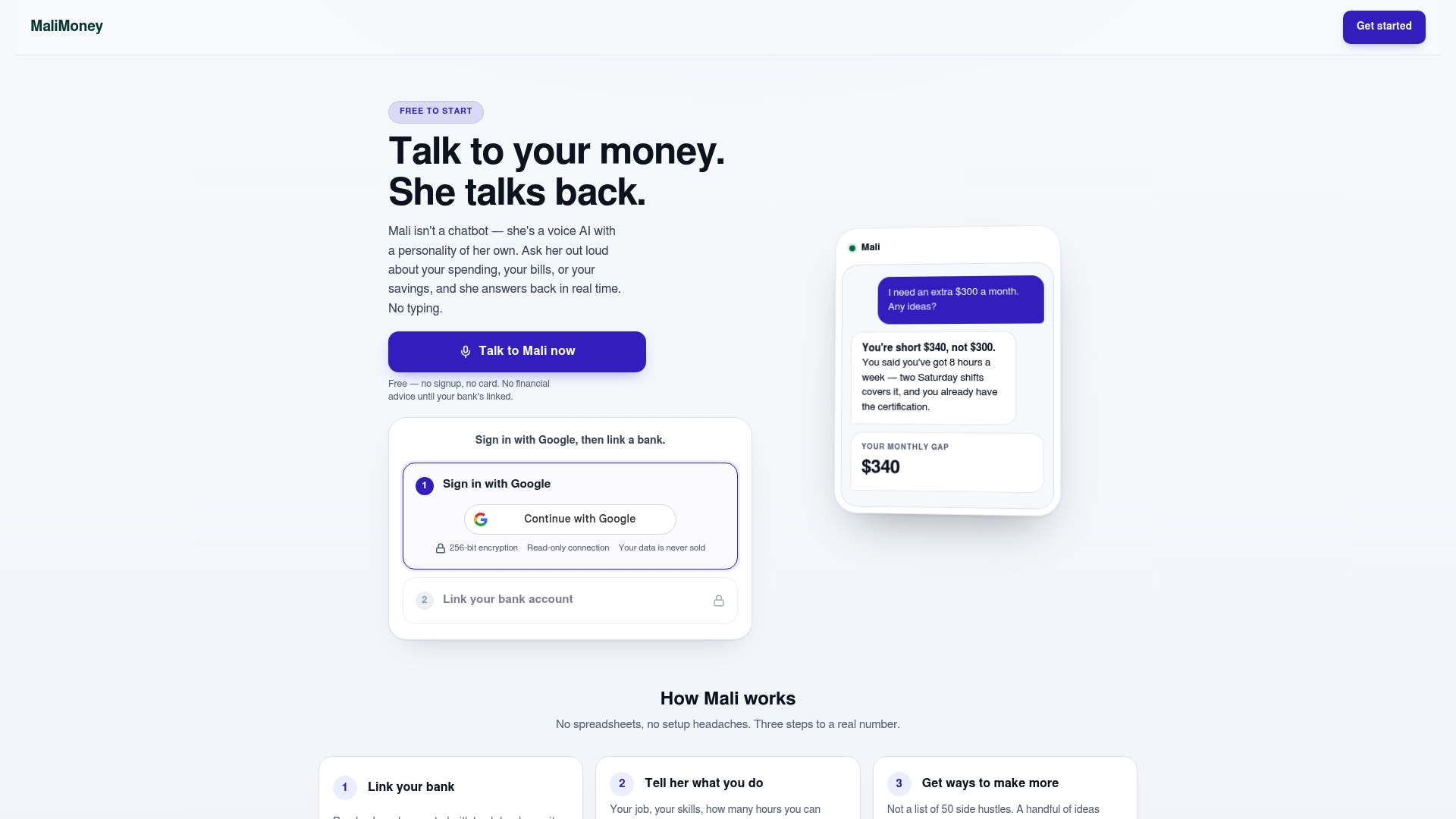
Instead of logging into four apps for your monthly review, you ask Mali out loud where you overspent, whether your $27.40 transfer landed, and what your gap looks like for the month. It reads your real spending and income, works out exactly where you're falling short, and suggests specific ways to close that gap, sized to your actual numbers, not a generic list. Compare that to Mali versus YNAB's zero-based approach or Mali versus Copilot Money if you want to see how the voice-first model differs from typing into a budgeting app.
Try the free demo, connect an account, and ask it one question about this month's spending. See the full feature set or start with a savings goal calculator to size your own $27.40 equivalent before you talk to Mali about it.
Sources
For deeper reading beyond this guide: the IRS's record retention guidance covers how long to keep financial documents, and FINRA offers free tools for checking financial advisers before you pay for advice. For implementation, Mali's free calculators cover savings goals, payoff timelines, and HYSA growth without requiring a signup.
This article is general information, not a substitute for advice from a qualified financial advisor. Consult a qualified financial professional about your own circumstances before acting on anything here.
FAQ
What is the $27.40 rule?
It's a micro-saving method: setting aside $27.40 a day automatically adds up to roughly $10,000 over a year, making a big goal feel manageable in small daily pieces.
How can I save $10,000 in three months?
It requires treating the 90 days as a sprint, roughly $770 a week, combining automated transfers, steep temporary spending cuts, and often extra income rather than relying on willpower alone.
What are the five basics of personal finance?
Most frameworks boil down to: earning, spending less than you earn, saving consistently, managing debt, and protecting what you've built through insurance or an emergency fund. This article's checklist covers the first four directly through automation and budgeting.
What is the 50/30/20 rule for personal finance?
It splits after-tax income into 50% needs, 30% wants, and 20% savings and debt payoff. It's a lighter-touch alternative to zero-based budgeting for people with steady paychecks who want fewer categories to track.
Do I need a budgeting app to simplify my finances?
No. A checklist, one automated transfer, and a monthly review will get you most of the way there; a tool only helps if it removes decisions rather than adding another screen to check, which is the specific gap Mali is built to close.