

Start with three automations: a pay-yourself-first transfer on payday, autopay for every fixed bill, and a low-balance alert on your checking account. Together they cut late fees, build savings without willpower, and remove the weekly admin of moving money by hand. Everything else, from investing to subscription cleanup, builds on that base.
TL;DR:
- Use bank bill pay when you want control over stopping payments; some loans require merchant debit, which can be harder to pause quickly.
- Schedule transfers one business day after payday, keep a checking buffer for delayed deposits, and test each payment with a small amount first.
- Review pending transactions weekly, reconcile transfers and subscriptions monthly, and revisit savings goals or contribution amounts quarterly or after income or bills change.
- Automated investing can reduce market timing, but check for cash left idle between contributions and consider irregular income when choosing a schedule.
- For 2026, workplace retirement plans allow $24,500 in elective deferrals, while IRAs allow $7,500; savers age 50 and older may contribute an additional $8,000.
Table of Contents
- A practical checklist: money tasks worth automating today
- Step-by-step: how to set up and test your automations
- Protections, fees, and legal checkpoints to know before you automate
- Maintain automation: what to check and when to change your rules
- How a voice-first AI companion helps you oversee your automations
- Personalization through AI: tailoring automation to your spending
- Integrating automation with bank account linking: what to know
- Managing automations without overwhelming yourself
- Why the checklist beats the dashboard
- Try this voice-first assistant for oversight of your automations
- FAQ
- Sources
A practical checklist: money tasks worth automating today
Not every automation deserves equal priority. Start with the ones that protect you from fees and build savings passively, then layer in the rest.
- Automatic savings transfers. Set a scheduled transfer for the morning after payday, or split your paycheck directly at the payroll level so savings never touch checking. Round-up tools that sweep spare change into savings work as a secondary layer, not a replacement.
- Autopay for fixed bills. Rent, utilities, and loan payments belong on autopay, either through your bank's bill-pay system or the merchant's own auto-debit. Bank bill-pay gives you more control over timing and is easier to stop; merchant auto-debit is sometimes required for loans but harder to pause quickly.
- Scheduled internal transfers for sinking funds. Separate accounts for property taxes, car repairs, or annual subscriptions, each funded by a small automatic transfer, prevent one irregular bill from wrecking your monthly budget.
- Automated investing. Dollar-cost averaging into a retirement account or brokerage account on a fixed schedule removes the temptation to time the market, though it works best when you also keep an eye on cash sitting idle between contributions, as FINRA notes.
- Transaction categorization and anomaly alerts. Most banking apps let you set rules so spending sorts itself into categories automatically, with a notification when something unusual hits the account.
- Direct deposit and payroll splits. Routing part of every paycheck straight into savings or retirement, rather than moving it after it lands in checking, is one of the more effective savings levers available, according to CFPB research.
A few habits make all of these safer:
- Keep a buffer of at least a few days' worth of expenses in checking before autopay dates hit.
- Review categorized transactions weekly instead of letting them pile up unseen.
- Turn on large-transaction alerts even for accounts you rarely use.
Step-by-step: how to set up and test your automations
Automating money tasks works best when you build it in order, not all at once.
- Map your income and bills. List every paycheck date, fixed bill, and savings goal before touching a single setting.
- Pick a hub account. Usually your main checking account, the one that receives direct deposit and from which bills and transfers originate.
- Match each task to a method. Savings transfers usually work best as bank-scheduled transfers; fixed loans often require merchant auto-debit; retirement contributions run through payroll deduction.
- Set cadence and buffers. Schedule transfers a day or two after payday clears, and keep a minimum balance buffer so a delayed deposit doesn't trigger an overdraft.
- Test small first. Run a small transfer or payment before committing the full amount, and confirm it posts when you expect it to.
- Log what you built. A simple note listing each automation, its amount, and its date saves time later when something needs adjusting.
- Set your own reminders. A monthly reconciliation reminder and a quarterly goal check keep the system honest.
Pro Tip: Schedule automated transfers one business day after your expected payday, not on the day itself, to avoid timing conflicts when deposits post late.
Protections, fees, and legal checkpoints to know before you automate
Automation only pays off when you understand the rules protecting you. Recurring electronic debits from a bank account fall under the Electronic Fund Transfer Act and Regulation E, which gives you error-resolution rights if a merchant pulls the wrong amount. The FTC's click-to-cancel rule requires that canceling a subscription be as easy as signing up for one, which matters once you've automated several recurring charges.
- Bank bill-pay means you control the stop; merchant auto-debit means you have to contact the merchant or your bank to halt it.
- Linking a savings account for overdraft coverage typically costs less than opting into standard debit-card overdraft coverage.
- Pending transactions and available balances often differ, a common cause of unexpected overdrafts when automations run close to a payday.
Auto-enrollment and opt-out savings defaults consistently increase how much people save, according to CFPB research on emergency savings strategies, which is part of why pay-yourself-first automation outperforms manual transfers.
Maintain automation: what to check and when to change your rules
Automation isn't a one-time setup. Income changes, bills shift, and rules drift out of date if nobody checks them.
- Weekly: Scan pending transactions and upcoming debits for anything unfamiliar, using a practical annual money-review checklist to stay organized and proactive.
- Monthly: Reconcile every scheduled transfer and subscription amount against your actual statement.
- Quarterly: Reassess your savings targets, investment contributions, and whether a raise or new bill means your splits need adjusting.
A raise, a new rent amount, or a canceled subscription that didn't actually stop are all signals to revisit your rules rather than wait for the quarterly check.
Pro Tip: Set a recurring phone reminder for the first Saturday of each month, just ten minutes to scan pending transactions and confirm nothing posted twice.
How a voice-first AI companion helps you oversee your automations
Dashboards and spreadsheets work, but checking them consistently is its own chore. We built a voice-first companion you talk to about your actual linked accounts, so oversight becomes a conversation instead of a login.
- Ask Mali what bills are due this week and get a spoken answer instead of scrolling a bill-pay screen.
- Check your balance out loud before a large automated debit posts, so you're never guessing whether the buffer is enough.
- Talk through a payroll split, like how much should route to savings versus checking, and get a recommendation sized to your actual income and spending.
This kind of spoken, bank-linked check is something no typical budgeting app offers, since most still require you to open an app and read a dashboard.
Personalization through AI: tailoring automation to your spending
Generic automation rules (save 10%, round up every purchase) work for some people and badly misfit others. A freelancer with irregular income needs a different cadence than someone with a steady biweekly paycheck. AI-driven analysis of your actual transaction history can spot patterns a flat percentage rule misses: recurring income spikes, seasonal bill increases, or a subscription creeping up in price.
The AI reads your real spending and income once your accounts are linked, works out where you're actually falling short each month, and suggests allocation amounts sized to that specific gap rather than a one-size rule pulled from a generic calculator. If your income varies month to month, that kind of personalized read matters more than a static percentage ever could. The goal isn't more automation for its own sake, it's automation that matches the shape of your actual paycheck and your actual bills, adjusted as those change rather than left to drift.

Integrating automation with bank account linking: what to know
Most automation, from autopay to AI-personalized suggestions, depends on linking your bank account to a budgeting or financial app. That link typically runs through encrypted, read-only connections that pull transaction and balance data without giving the app the ability to move money unless you separately authorize a transfer.
A few practices matter regardless of which app you use: confirm the connection is read-only unless you intend to authorize transfers, check that the provider states clearly it doesn't sell your data, and review which accounts are linked periodically rather than connecting everything once and forgetting about it. This service uses a secure, read-only, bank-linked design, with no data selling and no commission-driven recommendations, enabling spoken answers based on your real numbers instead of generic advice.
Managing automations without overwhelming yourself
The easiest way to abandon automation is to build too much of it at once. A dashboard with fifteen rules and six linked accounts is harder to trust than three or four automations you actually understand.
Start with the highest-impact moves (savings transfer, autopay, low-balance alert), let them run for a month, then add one more. Keep a short list of what's automated rather than trying to remember it, and resist the urge to automate every category just because the option exists. The point of automating money tasks is to free up attention, not to create a new system that demands its own maintenance schedule. If a rule requires more monitoring than the manual task it replaced, it's not actually saving you anything.

Why the checklist beats the dashboard
Most financial advice treats automation as a set-it-and-forget-it project, but that's half right at best. The transfers and autopay rules can run untouched for months, yet the habit of checking in, even briefly, is what keeps the whole system honest.
My top priority for anyone starting out is the pay-yourself-first transfer. It does more for savings than any budgeting spreadsheet, because it removes the decision entirely. One practical habit worth adopting: a quick spoken balance check before a big automated debit posts catches problems a monthly statement review misses by weeks.
— Todd
Try this voice-first assistant for oversight of your automations
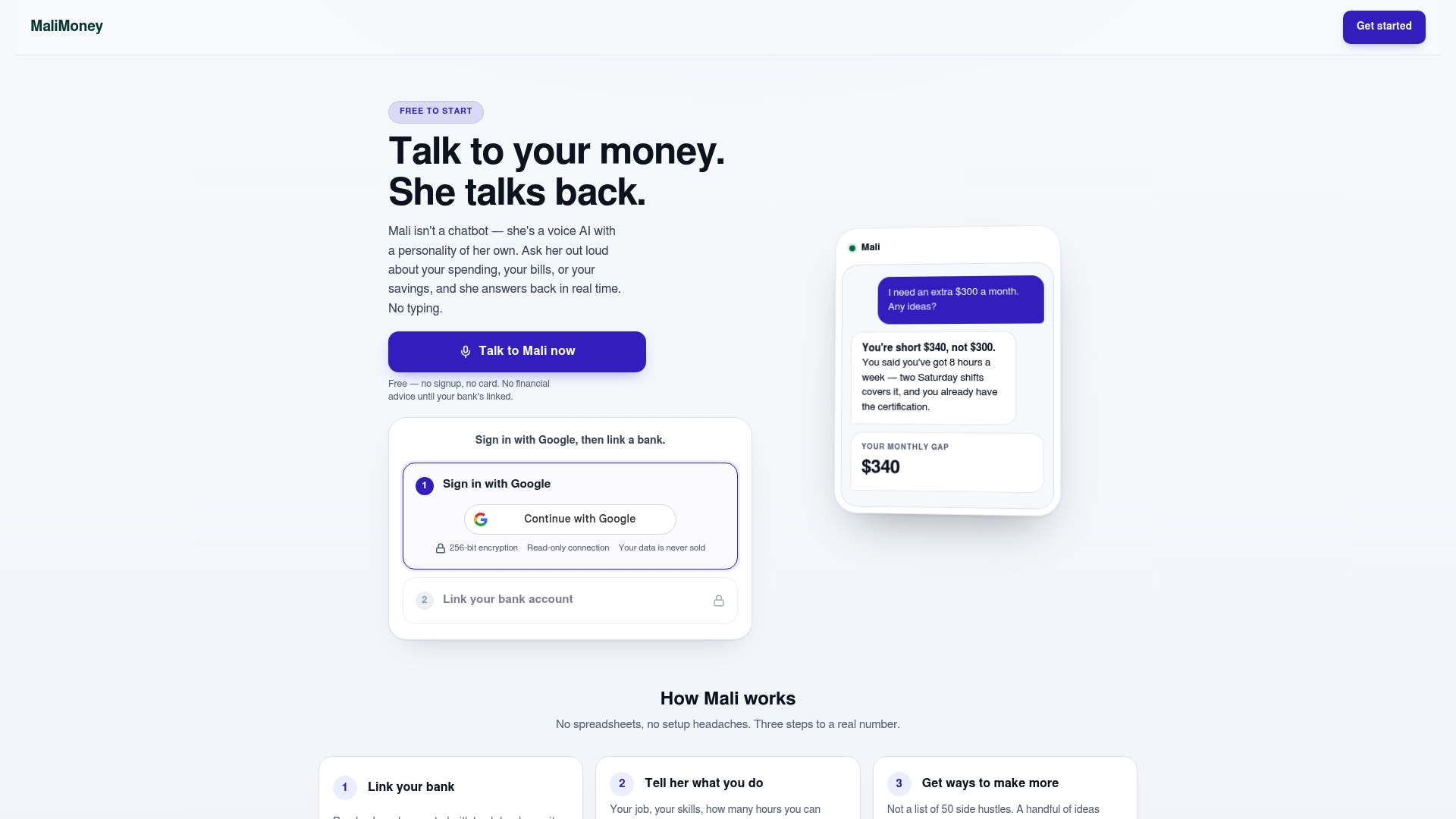
This assistant handles the part of automation that dashboards never solved well: actually staying on top of it. Link your accounts and ask what's due, check a balance before a big debit, or talk through a payroll split, all in conversation, without opening a spreadsheet.
- Spoken reminders for upcoming bills before they hit your account.
- Balance checks by voice before large automated transfers post.
- Personalized savings and payroll-split suggestions based on your real income.
Start with a 7-day trial on the Mali accounts page or explore how voice AI works for your money before linking an account.
This article is general information, not a substitute for advice from a qualified financial advisor. Consult a qualified financial professional about your own circumstances before acting on anything here.
FAQ
What can I automate to make money?
Automation itself doesn't generate income, it protects and grows what you already earn through scheduled savings transfers, autopay, and automated investing. For actual income growth, automating consistent contributions to a retirement account or brokerage account through dollar-cost averaging, as FINRA describes, compounds over time without requiring market timing.
What is the 7-7-7 rule for money?
This isn't a standardized financial framework from a regulator or major financial institution, and definitions vary depending on where you encounter it. Rather than rely on an informal rule, set your savings and bill automations based on your actual income dates and expense cadence.
What is the 3-3-3 rule for savings?
Like the 7-7-7 rule, this isn't an official guideline from a government or financial-regulatory source, so treat any specific version you see online with caution. A more reliable approach is the evidence-based one: automatic, opt-out savings transfers tied to payday, which CFPB research finds consistently increase how much people save.
What is the 70-10-10-10 budget rule?
This is one informal variant of percentage-based budgeting (commonly: 70% living expenses, 10% savings, 10% investing, 10% giving or debt payoff), but it isn't a standard endorsed by a government financial authority. Automating the percentages that fit your actual bills and income, rather than copying a fixed split, tends to hold up better over time.
How much can I contribute to retirement accounts automatically?
For 2026, the elective deferral limit for 401(k), 403(b), and governmental 457 plans is $24,500, with an additional $8,000 catch-up allowed for savers 50 and older. The IRA contribution limit for 2026 is $7,500, and automating payroll deductions up to these limits is one of the more reliable ways to max out tax-advantaged savings without manual transfers.
Sources
- 401(k) limit increases to $24,500 for 2026; IRA limit increases to $7,500
- Federal Trade Commission announces final click-to-cancel rule
- Evidence-based strategies to build emergency savings
- Tips for investors in turbulent markets (FINRA)